Whether a conductor is sitting behind a monitor on a scoring stage in Los Angeles, on the podium for a Star Wars concert at the Hollywood Bowl or on a symphony season program in London or Berlin, they're all looking at the same thing: a line sweeping across the screen, a flash landing at the exact frame the music has to hit, and some form of count leading in that establishes tempo before the downbeat. That visual language is eighty years old and has a name: the Newman System.
The system is both remarkably simple — three or four graphic elements, none of them particularly complicated — and surprisingly resilient. It has survived the move from film to digital, from photocopied scores to overlaid video, from 1940s scoring stages to 2026 concert halls. This article walks through what it's actually made of: what a streamer is, why colors matter (green, yellow, red), what a punch does, how a count-in is built, and what patterns run underneath it all in the click track.
Where it comes from: Alfred Newman at Fox

The system was devised by Alfred Newman, musical director at 20th Century Fox for twenty years (1940–1960) and one of the most influential composers of Hollywood's golden age. Newman had a very concrete problem: on the Fox scoring stage, he had to conduct orchestras of sixty or eighty musicians who needed to play in perfect sync with picture projected behind them. Click tracks through headphones existed, but they were uncomfortable, they had latency, and they took away the conductor's expressive control over tempo.
Newman's solution was to move the sync reference from the ear to the eye, and to put it directly onto the film itself. A music technician physically marked the projection print: a needle scribed a diagonal line into the emulsion, which appeared on screen as a white streak sweeping across it for about two seconds, and a hole was punched through the frame at the exact sync point, which flashed brightly when projected. The line was the streamer. The flash was the punch. With those two marks and a bit of practice, a conductor could bring an orchestra to the precise frame without headphones and without losing the freedom to shape tempo between sync points.
That basic idea — a visual warning that approaches for a predictable duration and ends in a point-in-time impact — is the one that has survived intact to today. Everything else has changed: nobody scribes film anymore, overlays are drawn on digital video, modern systems add color and numeric counters and intermediate patterns, and click tracks are distributed through in-ear monitors with latency compensation. But the grammar is the same.
The streamer: the line that sweeps the screen
A streamer is a vertical (or near-vertical) line that appears at one edge of the screen and travels to the opposite edge at a constant speed. When the conductor sees it, they know two things: what is about to happen (from color and context) and when (from how far the line still has to travel).
The canonical streamer duration, inherited directly from Newman, is two seconds. It's an empirical number: long enough for a conductor to register the approach and shape the gesture, short enough not to distract from the orchestra or the picture for too long. Many music editors use longer streamers — three seconds, five seconds — for particularly delicate transitions or for conductors less used to the system. But two seconds is the default.
The streamer always ends at a specific frame: the hit point. That point may be additionally marked by a punch, or it may simply coincide with the moment the line leaves the screen. The logic behind the whole system is that the sweep speed is constant and known, so the conductor can anticipate the exact moment with frame-level accuracy.
Green streamers: the cue starts here
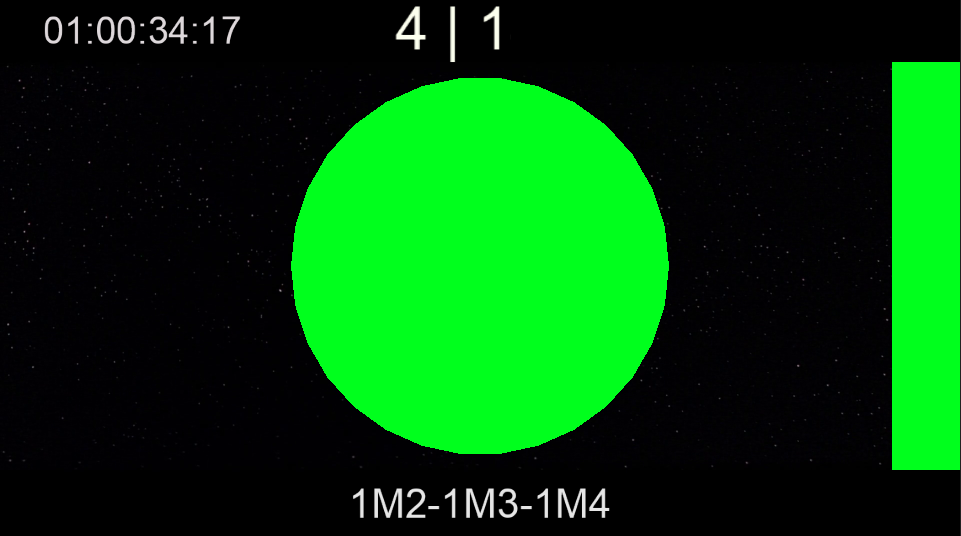
Green is, by convention in most modern systems, the color reserved for the start of a musical cue. When a conductor sees a green streamer enter the screen, they know that two seconds later their downbeat has to launch a new piece of music. It's the visual equivalent of a choir director's "and — in".
Green streamers are usually preceded by a count-in (which we cover below) and, in many cases, by the click track itself starting for that cue. The typical sequence a conductor sees is: silence or the previous cue ending → green streamer enters → over those two seconds, tempo is established through the click and count-in → the streamer reaches the end and the conductor marks the downbeat.
In a film with many short cues — an action comedy, a heavily scored animated feature — green streamers may appear constantly. In a film with long, spaced-out cues, they may appear only a few times per reel. In a live concert, where cue order is fixed and the musicians have rehearsed the transitions, they remain the unambiguous signal for "start here".
Yellow streamers: intermediate warning
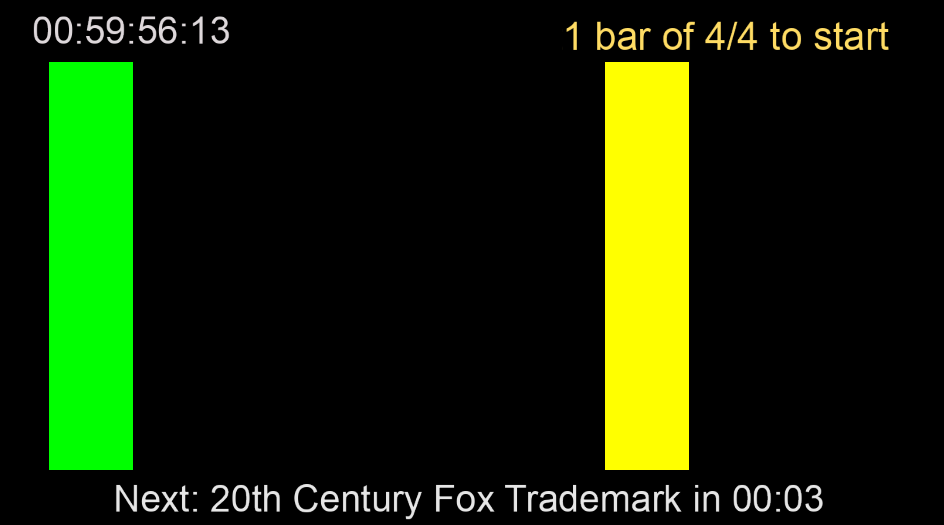
Yellow is reserved for intermediate warnings inside a cue that is already running. It doesn't mark a new beginning — it marks something that's about to happen while the orchestra is already playing. Common uses include:
- A tempo change written into the original score (a rallentando starting here, an a tempo after a fermata, a metric modulation).
- A meter change so tricky that the music editor wants to give the conductor an extra visual reference on top of the click.
- An important solo entrance that needs careful coordination with picture even if it doesn't land on a hit point.
- A secondary sync point within the cue: not the main hit (which usually gets a red streamer), but a moment where the music has to line up with the image.
An experienced conductor reads it instantly: green means "get ready to start", yellow means "watch out for the change", and both share the same two-second sweep mechanic. The color coding exists precisely so that reading can happen at a glance, without having to check the score to see what's coming next.
Red streamers and the punch: the hit
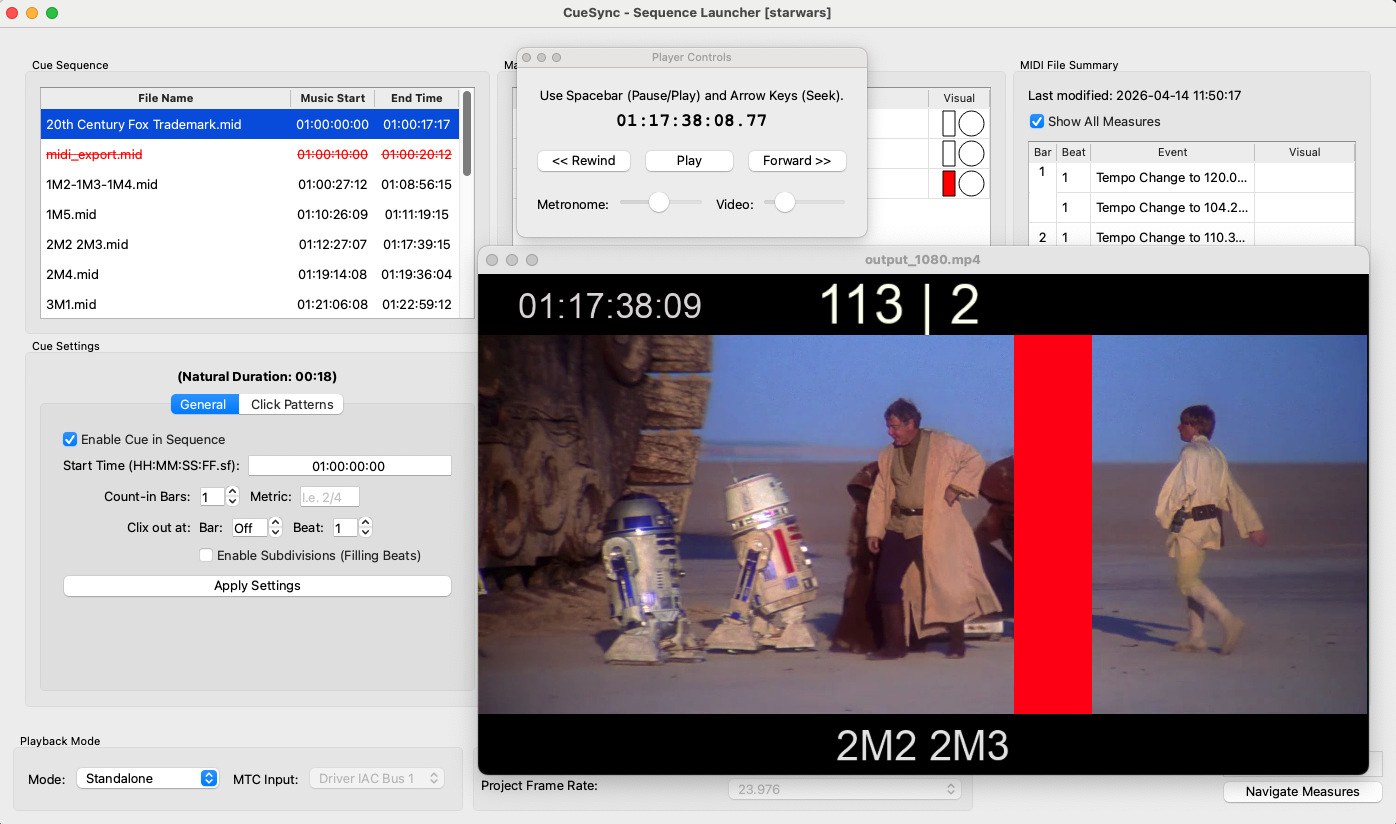
Red is used by convention for hit points: moments when the music has to coincide to the frame with an event on screen. An explosion, a cut, a physical impact, a kiss in close-up. A red streamer prepares the conductor for two seconds, and at its endpoint the punch lands: a flash filling one or two whole frames, marking the sync point with absolute precision.
A punch on its own, with no streamer leading in, is rarely used for hits because it gives no anticipation time. It does get used as visual reinforcement of the downbeat on faster click cues, or as a marker for a specific subdivision. The streamer-plus-punch combination is what defines a synced hit in the Newman System's vocabulary.
The count-in: the bars before the cue
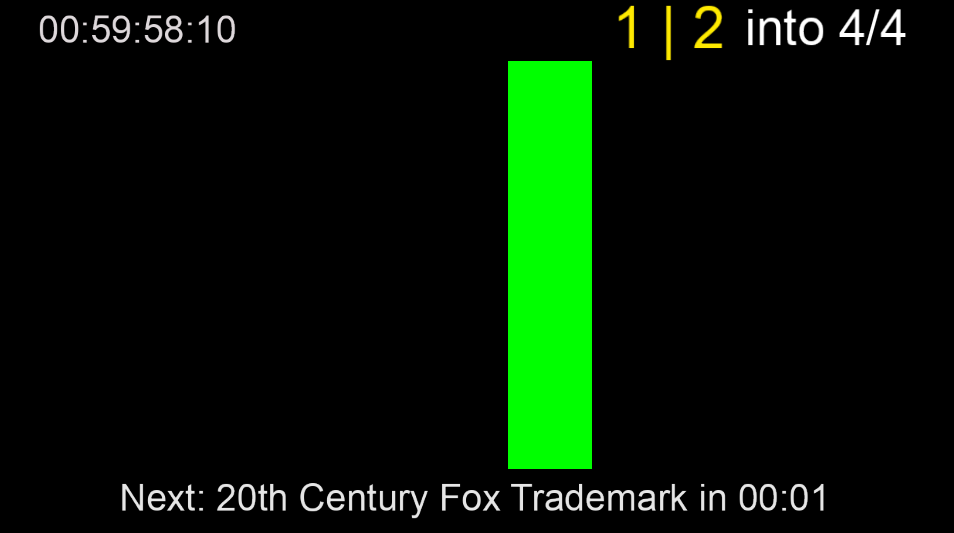
Before the music starts, the conductor needs to establish tempo. A pianist can just begin; a conductor can't, because sixty or a hundred musicians looking at them need to breathe together. That's what the count-in is for: one or two bars of counting before the first bar of the cue, during which the click track is already running but the orchestra is not yet playing.
The standard count-in in film scoring is two full bars. It's long enough for the conductor to raise the baton, mark the preparatory beats and bring the orchestra to the downbeat of bar one with the gesture already in motion. A one-bar count-in gets used when the transition from the previous cue is very short; count-ins of four bars or more show up in especially slow cues or on delicate entrances.
Visually, the count-in can be represented in several complementary ways:
- With a numeric counter that appears on screen showing the bars remaining: "2", then "1", then the cue starts.
- With flutters: short flashes that mark each beat of the count-in bar, one flash per beat, distinguishable from punches by being briefer and dimmer.
- With the click track itself, which sounds in the conductor's earpiece (and sometimes the percussion's) during the preparatory bars, ticking the beats in the same pattern the cue will have.
- With a green streamer that ends on the downbeat of bar one, preceded by counter ticks during the two seconds before it.
In practice, a music editor usually combines several of these: green streamer plus numeric counter plus click in the conductor's earpiece. The redundancy is intentional, because the start of a cue is the point where a sync drift is most noticeable and hardest to recover from.
Click-track beat patterns

Underneath the streamers and punches, the click track carries the exact arithmetic of tempo. It's an audio (or MIDI) track that sounds in the conductor's earpiece — and sometimes in the percussion's and the bass's — and consists of a series of rhythmic ticks calculated frame by frame against picture. The specific pattern those ticks follow isn't universal: it depends on the cue, the meter, the tempo and the conductor's preference.
The basic pattern: one click per beat
The default pattern is one click per beat of the bar, with an accent on the downbeat (beat one). The accent is usually produced one of two ways: a different timbre (say, a high click on the downbeat and a low click on the rest of the beats) or a higher volume. The purpose is to let the conductor "read" their position within the bar without having to count actively.
In common time at a moderate tempo (between 80 and 140 BPM), this basic pattern is enough. The conductor hears TICK-tick-tick-tick | TICK-tick-tick-tick, with capitals on the downbeat, and that's sufficient.
Subdivisions for slow tempos
When the tempo drops below about 60 BPM, one-click-per-beat ticks land too far apart in real time and the conductor can lose the pulse between them. In those cases the music editor adds subdivisions: intermediate clicks on the eighth notes or on the sixteenths.
- A 4/4 bar at 50 BPM with an eighth-note subdivision produces eight ticks per bar instead of four:
TICK-t-tick-t-tick-t-tick-t. - At very slow tempos (30–40 BPM), typical of contemplative or romantic sequences, the subdivision goes down to sixteenths: sixteen ticks per bar in 4/4.
Subdivision keeps the internal pulse steady without asking the conductor to mentally count the silent spaces between beats. In practice, most conductors prefer to have subdivisions kick in automatically below a certain tempo threshold.
Compound meters: groups of three
In compound meters (6/8, 9/8, 12/8), the click track groups its ticks in threes, with an accent on the first tick of each group. A typical 6/8 produces TICK-tick-tick-TICK-tick-tick, marking the two compound beats with accents and the intermediate eighths with plain clicks. The same logic extends to 9/8 (three groups of three) and 12/8 (four groups of three).
Irregular meters and meter changes
This is where the click track does work that would be nearly impossible to ask of the conductor alone. In a passage with rapid meter changes — very common in contemporary film music, especially in action scores or in composers like John Williams, Elliot Goldenthal or Bernard Herrmann — the click pattern shifts bar by bar, following exactly what the score dictates: 5/8 split as 3+2, followed by 7/8 as 2+2+3, followed by 4/4, followed by 3/8. The conductor just follows the pattern; the click has already done the arithmetic.
Ritardandos, accelerandos and tempo changes
Tempo changes within a cue — a gradual rallentando toward the end, a rising accelerando, an abrupt shift from one metronome mark to another — are baked into the click track itself. The music editor builds a tempo map that reflects exactly what the score calls for, and the click speeds up or slows down with it. The conductor doesn't have to force the ritardando; the click does it and the conductor follows.
In passages of extreme rubato, where the composer wants full expressive freedom, the music editor may choose to suspend the click altogether and entrust sync entirely to streamers and punches. The conductor conducts freely between visually-marked sync points, with no internal metronome forcing the pulse. That's the moment where the Newman System shows its clearest advantage over a click in the ear: it restores expressive freedom without giving up sync.
Reading it all at once
Put it all together and what a conductor sees in a session (or in a concert) is: the film in the middle of the monitor; on top of it, the streamers entering from one side and sweeping to the other; at sync points, the punches as bright flashes; in the corners or in a side bar, the numeric counters showing bars remaining until the next cue or the current bar number; and in the earpiece, the click track with the beat pattern for the current passage.
The score tells the conductor what should sound. The picture tells the conductor when it should be seen. The Newman System is the only thing that tells the conductor when what the score calls for has to sound so that it matches what's on screen.
The mental sequence of a typical cue runs something like this:
- –4 sThe on-screen counter reads two bars remaining. The click track begins ticking in the conductor's ear at the cue's pattern.
- –2 sA green streamer enters from the left. The conductor raises the baton and begins the preparatory gesture.
- 0 sThe green streamer hits the right edge and lands on a punch. The conductor marks the downbeat. The orchestra enters.
- during the cueThe click keeps ticking in the conductor's ear. Any tempo or meter changes are already built into it.
- before a hitA red streamer appears two seconds before the hit point. The conductor shapes the gesture so the downbeat lands on the hit.
- hitStreamer and punch coincide with the cut or the on-screen action. The orchestra nails the sync.
From scribed film to modern software
Everything above has been implemented across eighty years on very different technological substrates. In the 1940s and 50s, a technician physically scribed the emulsion of the projection print with a diagonal needle to draw the streamer, and punched a circular hole for the punch. In the 60s and 70s, the first electronic streamer generators appeared, projecting the sweep onto video via dedicated oscillators. The 80s brought SMPTE-based sync and the first software packages — Auricle, Cue, Streamline — that generated overlays over QuickTime video. And in the 2000s, with the full digitization of post-production, overlays moved into the timelines of DAWs like Pro Tools or Digital Performer, or into dedicated applications.
The striking thing, to return to the point at the top: the visual grammar is still Newman's. A conductor who learned to read streamers and punches on a scribed print at Fox in 1955 could sit down in front of a modern monitor with a digital video and software-generated overlays today and understand exactly what they're seeing, with no transition. Very few technical languages have lasted that long without changing.
Why it still holds in 2026
The short answer is that it solves a problem that hasn't gone away. A large orchestra still has the same physical latency between the conductor's gesture and the sound of a violin in the back row. A click in earphones for everyone in the orchestra is still uncomfortable, technically fragile and expressively poor. Projecting a film on a scoring stage or in a concert hall still needs a bridge between what is seen and what is played, and that bridge still has to run through the eyes and hands of a human conductor.
As long as that stays true — and there's no technical or artistic reason to think it won't — the Newman System is going to remain the de facto standard. The details get refined, colors get more standardized, overlays get sharper and more responsive, but the two-second green streamer with its punch at the end is still the best way anyone has found to tell a conductor that a specific thing has to happen a precise amount of time from now.
It's exactly what CueSync puts within reach on a modern Mac: streamers, punches, counters and a synced click track, with the same visual grammar Alfred Newman devised at Fox, ready for the scoring stage or the concert stage.