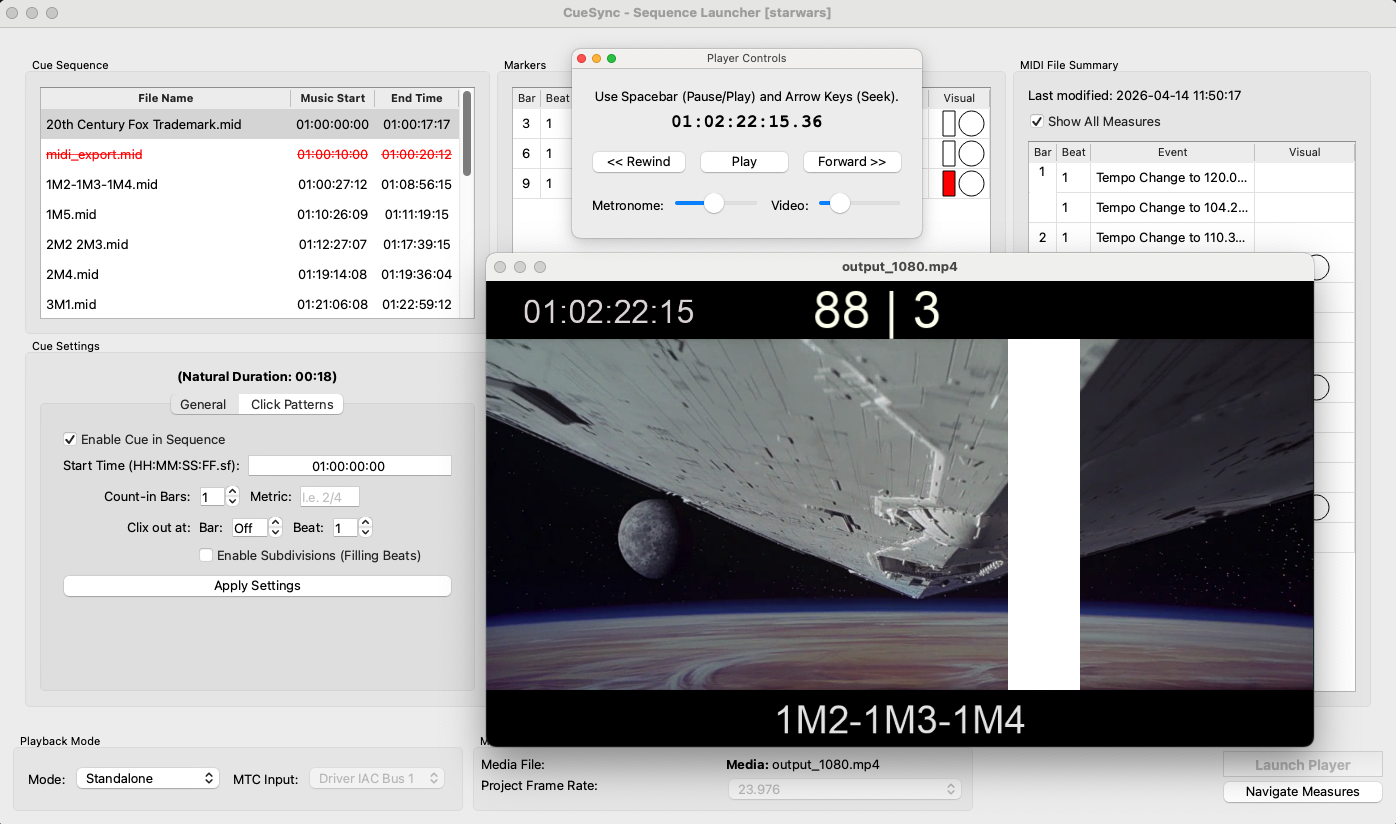
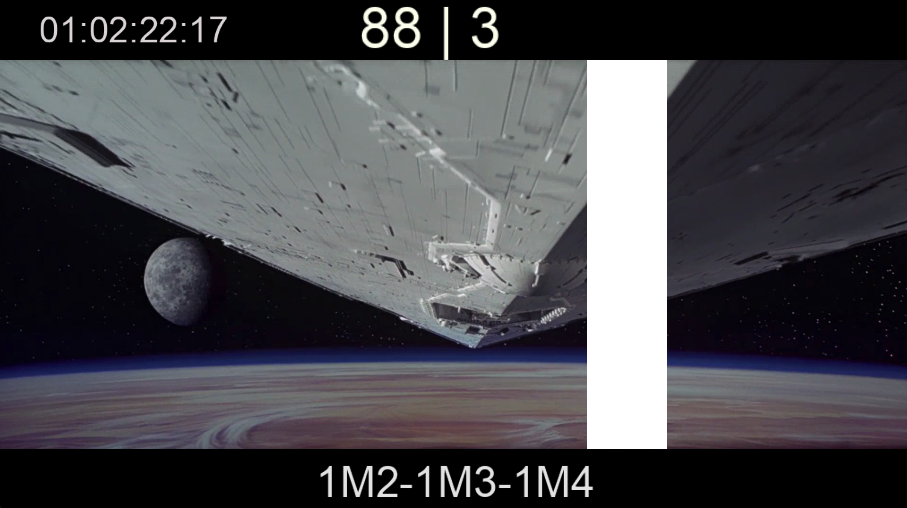
Streamers & Punches
Bars and flashes synchronized with frame-accurate timing to mark cues and cuts in the score.
Low-latency Metronome
Dedicated audio thread with pure-sine tones to keep the click stable regardless of GPU load.
Realtime Overlays on Video
Watch your reference movie with all overlays (streamers, punches, counters) in real time — ideal for film scoring sessions and spotting cues on set.
Time Signature & Tempo Overlay
Live musical readout on the video: the current meter and BPM, always in view. Handles compound meters correctly (e.g. 6/8 shown as ♩.=80, not misleading eighth-note values).
DAW Sync (MTC)
Sync CueSync as a slave to any DAW that sends MIDI Time Code (MTC) — Logic, Cubase, Pro Tools, Digital Performer and more.
Web Navigator (Mobile Control)
Launch a local server from Navigate Measures → Web Navigator and open the URL on any phone, tablet or laptop on the same network. Jump between measures, pause and control playback remotely — no app to install.
Standalone Mode (No DAW Required)
Run CueSync independently using its internal master clock and metronome. Perfect for rehearsals, spotting sessions and simple setups without a DAW connection.
SMPTE Timecode
Configurable timecode origin to align video and visual clock to any reference.
Click Pattern Editor
Design accents for irregular meters (e.g. 7/8 = 3+2+2) and synchronize audio and visuals.
Marker Editor
Place Start/End markers, Streamers, Punches and meter changes directly on the MIDI timeline.
Visual Pre-roll
Yellow/green bars and frame-by-frame wipes to guide the director during the countdown.
Show Mode (Audience Window)
Toggle Show Mode in the launcher to open a second window with the raw video only — no overlays, no metronome, no HUD. Send it to the projector for the audience while the director keeps the annotated view. Both windows share the same clock, so they stay frame-locked automatically.
Export Video
Render MP4 with burned-in markers. 1080p/4K presets and partial exports by SMPTE.
Audio Output & Calibration
Choose output device and automatic audio-visual latency calibration.
Preferences & Customization
Control overlays, streamer styles, text, colors and pre-roll behavior from Preferences.
 CueSync